Sell Online
How to Sell Canva Templates (Licensing Rules Included)
How to sell Canva templates legally: what Canva's license allows, Pro vs free content, template links vs PDFs, where to sell and how to deliver them.
· 7 min read
For people who already design in Canva
Canva can be the tool behind several real income paths: selling templates, contributing to Canva's own marketplace, designing for small businesses, and selling printables, ebooks or print-on-demand products. Each one has license rules that decide what you can sell and in what format. The free method below shows how to pick one path, stay within the rules and get to a first sale. Most people need weeks to months of steady work before income is regular.
Secure checkout by Hotmart · 7-day money-back guarantee
You can make money with Canva by selling original templates as Canva template links, applying to the Canva Creators program, designing social posts and marketing materials for clients, or selling printables, ebooks and print-on-demand products you design in Canva. Canva's own help center says you can only sell original designs and can't sell its library content on a standalone basis, and templates that use Pro content can only be sold as template links. Income depends on your design skill, niche and marketing, and the popular template niches are crowded.
Part of our honest guide to making money online.
Sound familiar?
Everyone seems to be selling Canva templates
Search any marketplace and you'll find thousands of planners, social media kits and resume templates. You're not sure there's room for one more shop, or how anyone gets noticed.
You don't know what the license actually allows
Can you use Pro elements? Sell a PDF? Put a Canva graphic on a T-shirt? One wrong guess could get listings removed, and the rules feel written for lawyers.
Clients treat 'Canva designer' as cheap work
Small businesses know they could open Canva themselves, so they push prices down. You need a reason for them to pay you instead.
You applied to Canva Creators and heard nothing
The application sits in a queue for weeks, and you don't know whether to wait or build income somewhere else in the meantime.
The turning point
Canva is a tool, and buyers don't pay for the tool. They pay for a design that solves a specific problem for them. This approach starts from the buyer and the license, then uses Canva to deliver.
License first, product second
Before you design anything, you match the product to what Canva's terms allow: Pro content only in template links, no standalone use of library elements, no clipart or stock packs built from Canva content. That removes the risk of building a shop on products you can't legally sell.
A narrow buyer instead of a broad niche
'Instagram templates' is crowded; 'post templates for mobile dog groomers' is not. Designing for one type of buyer makes your listings easier to find and your client pitches easier to say yes to.
Several Canva paths, one portfolio
The same body of work can support template sales, a Canva Creators application and client pitches. You build one portfolio and test which path pays first, instead of starting from zero each time.
How this is different: Most 'make money with Canva' videos show a quick template and a big sales screenshot. This approach treats Canva income like any small design business: a specific buyer, products that respect the license, honest pricing and a few months of steady work.
How it works
Pick one path to start
Choose between selling templates, client design work, printables or print on demand based on your skills and how soon you need money. Client work usually pays sooner; templates and printables take longer to build.
Check the license for that path
Read Canva's guidance on designing products for sale for your exact product. Our guide on how to sell Canva templates walks through template links, Pro content and delivery.
Design a small, focused first set
Make five to ten original designs for one type of buyer, using your own text, layout and, ideally, your own photos or graphics. Original work is what the license requires and what buyers remember.
List or pitch where buyers already are
Put products on a marketplace or your own store, or show samples to a few local businesses or freelance clients. Track which listings and pitches get responses.
Improve what gets traction
After a few weeks, expand the designs that sell or get replies, drop the ones that don't, and raise prices for client work once you have examples and reviews.
Secure checkout by Hotmart · 7-day money-back guarantee
The skills involved
Canva's commercial-use rules
Know the difference between Free and Pro content, what counts as standalone use, why Pro templates must be shared as template links, and why you can't sell clipart or stock packs built from Canva content.
Design basics beyond the template
Hierarchy, spacing, readable type and consistent colour are what make a design worth paying for when the buyer has Canva too.
Researching what buyers search for
Use marketplace search and suggested terms to find specific, under-served needs rather than copying the bestsellers. Our Etsy SEO tips show how listings get found.
Delivering templates and setting terms
Share template links correctly, write clear instructions for buyers, and state what customers may and may not do with your template.
Pricing client design work
Quote by project or package, limit revisions in writing, and transfer rights to one client only, which Canva requires when you design for clients.
Print and file preparation
Export at the right size and resolution for printables and print-on-demand products, and check a print partner's terms before uploading designs that contain Canva content.
Secure checkout by Hotmart · 7-day money-back guarantee
Realistic expectations
| Path | What you sell | License catch | Typical time to first income |
|---|---|---|---|
| Selling templates | Editable templates for a specific buyer | Templates with Pro content can only be sold as Canva template links, not as PDFs or other files | Weeks to months; marketplaces are crowded |
| Canva Creators program | Templates or elements published to Canva's marketplace | Template Creators apply with a portfolio and Canva says a reply can take up to a couple of months; Element Creator signups were on hold | Months; royalties come from a shared pool and amounts aren't public |
| Design services for clients | Social posts, presentations, flyers, ads | Rights in each finished design go to one client only, and the client must follow Canva's license | Days to weeks if you can find clients |
| Printables and ebooks | Planners, worksheets, guides, cards | Must be original designs; unedited Pro photos in ebooks have a 480,000-pixel limit | Weeks to months |
| Print on demand | Shirts, mugs, posters, stickers | No library elements printed as-is; you can't use Canva content on services that require you to own the copyright | Weeks to months |
License details summarized from Canva's Help Center page on designing products for sale and its Canva Creators page, as of 2026. Rules change, so read Canva's current terms before you sell. Timeframes are illustrative; results vary.
Is it right for you?
This is for you if…
This is NOT for you if…
401
free guides published
3,028
official sources cited
0
income promises
Oct 3, 2026
last updated
Every guide is checked against official sources. See our editorial policy.
From readers of the ebook
“I found some interesting ideas for earning extra income in my spare time.”
“The examples helped me think about how I could use my skills for freelance work.”
“I liked exploring extra-income options that could fit around my studies.”
“The information gave me a starting point for planning a small side project.”
“I felt more organized after outlining what I could offer and how much time I had available.”
Shared by buyers who agreed to publication. These are individual experiences, not typical results, and none of them describes earnings. See our earnings disclaimer.
Who's behind this
Getback publishes free, practical guides on making money online and managing it well. We show real costs, realistic timelines and the trade-offs most “gurus” skip — and we never promise income. Read how we research and update every guide in our editorial policy.
Go deeper
The ebook
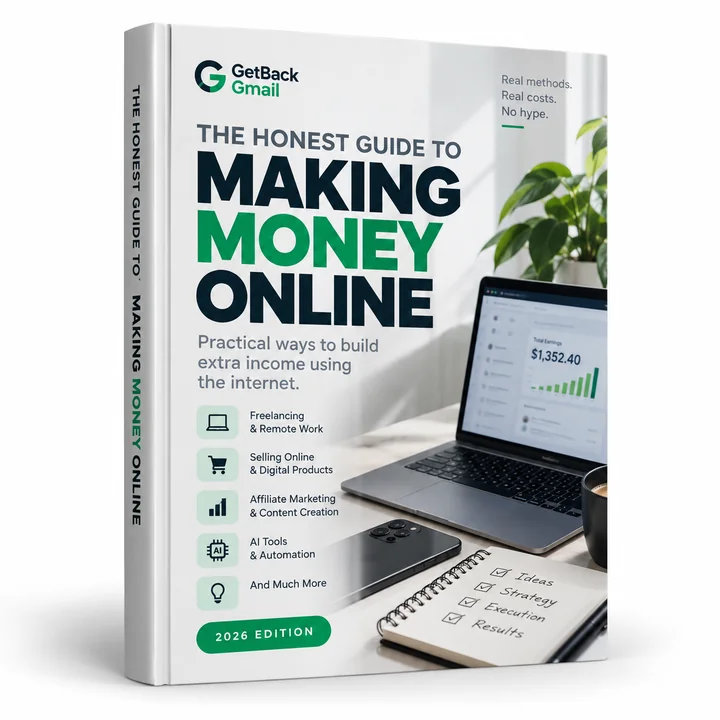
A practical, beginner-friendly ebook about realistic ways to earn money online. Instead of promising quick or guaranteed income, it explains how each method works, what it may cost to start, the skills involved, common mistakes to avoid and practical first steps.
How the ebook fits: The ebook doesn't teach Canva itself or design skills. It compares digital products, selling online, freelancing and AI tools as income paths, with their costs, skills and common mistakes, which helps you decide whether templates, client design work or printables is the right Canva path for you.
Secure checkout by Hotmart · 7-day money-back guarantee
One-time payment · instant digital access
The Honest Guide to Making Money Online
Today's price is shown at checkout in your local currency. Payment and delivery by Hotmart.
Secure checkout by Hotmart · 7-day money-back guarantee
Go through the lessons. If you decide it isn't for you, request a refund within 7 days through Hotmart and you get your money back, no questions asked.
Free PDF
Every step to get started, a 7-day plan, the numbers to track and the scams to skip — on two printable pages.
Questions
Yes, if the product is an original design and follows Canva's Content License Agreement. Canva says you can sell items such as templates, printed products and ebooks, but you can't sell its content on a standalone basis or create your own stock content or clipart from it.
Yes, many sellers do. Templates that include Pro content must be delivered as Canva template links; templates made only with Free content and your own assets can also be sold as PDFs. Our guide on how to sell Canva templates covers delivery and Etsy listings, and how to sell digital products on Etsy covers the shop setup.
Canva says Creators receive royalties from a monthly royalty pool based on how their content performs: template usage for Template Creators and Pro element exports for Element Creators. Canva keeps the exact amounts confidential, so treat it as uncertain income, not a salary.
Yes, with original designs. You can't print a library element as-is, and Canva says you can't use its content with print services that require you to own the copyright in your upload. Check the print service's terms first, and see our guide to print on demand stickers for one popular product.
Canva says images from its AI features aren't covered by the Content License Agreement and can be used for lawful purposes, including selling, under its AI Product Terms. It also warns that copyright ownership of AI-generated images is unclear in many countries.
It's a beginner-friendly ebook that compares realistic ways to earn money online — freelancing, remote work, side hustles, affiliate marketing, digital products, AI tools, selling online and other legitimate paths. For each one it explains how it works, what it may cost to start, the skills involved, common mistakes and practical first steps. It's an overview to help you choose, not a specialist manual on a single method.
Beginners who want an honest map before they spend time or money — people with a job, students, parents at home — and who are willing to put in consistent effort. It is not for anyone looking for a shortcut.
It varies a lot and depends on your skills, effort, market and execution. Many beginners need weeks to months of consistent work before earning anything meaningful, and some never do. Anyone promising fixed results or timelines is not being honest with you.
The price is shown at checkout in your own currency, as a one-time payment. Several of the methods in the ebook can be started with little or no money beyond a phone or computer; paid tools are explained with their real costs before you decide.
Payment and delivery are handled by Hotmart. After checkout you receive an email with access to the ebook, available right away.
Yes. You have a 7-day money-back guarantee under Hotmart's refund policy. If it isn't for you, request a refund within 7 days of purchase and you get your money back.
Yes. It's a digital ebook you can read on a phone, tablet or computer.
The ebook is sold through Hotmart, a large digital-products platform, and comes with a money-back guarantee. It doesn't promise income — it explains methods, costs and risks so you can decide for yourself.
Canva can be the tool behind several real income paths: selling templates, contributing to Canva's own marketplace, designing for small businesses, and selling printables, ebooks or print-on-demand products. Each one has license rules that decide what you can sell and in what format. The free method below shows how to pick one path, stay within the rules and get to a first sale. Most people need weeks to months of steady work before income is regular.
Secure checkout by Hotmart · 7-day money-back guarantee
How to sell Canva templates legally: what Canva's license allows, Pro vs free content, template links vs PDFs, where to sell and how to deliver them.
· 7 min read
How to make printables to sell: pick a buyer, set the right page sizes, design in Canva or other tools, export print-ready PDFs and package them properly.
· 7 min read
How to sell digital planners in 2026: plan the pages, add hyperlinks that work in Goodnotes, check Canva's license, export, test and list them.
· 8 min read
Also consider: Sell Digital Products · Freelancing With AI · or browse every way to make money online.
Earnings disclaimer: Results vary from person to person and depend on effort, market and execution. This is educational material and does not guarantee earnings. See our full earnings disclaimer.